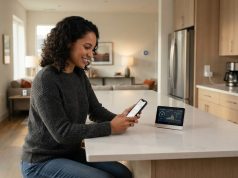

Learning how to connect Smart TV to IP camera systems allows you to view live camera footage on a bigger screen without checking a phone or computer. Many homes and businesses now use displays to monitor important areas effortlessly.
A Smart TV to IP security camera system connection allows users to watch video check different camera views and manage basic monitoring tasks from a comfortable screen. Depending on the camera model and TV features the connection can be done through a camera app, an NVR device a streaming device or network-based viewing methods.
Modern IP cameras often support features like high-definition video, network access and compatibility with viewing platforms. Many popular security camera brands now provide apps and systems that work with Android TV, Google TV, Samsung Smart TV, LG Smart TV and other smart television platforms.
Before connecting your devices it is important to understand how your camera system works, what connection methods are available. What equipment you need. A correct setup helps create a viewing experience and reduces common connection problems.
This complete guide explains how to connect a Smart TV to an IP security camera system step, by step. It covers connection methods, required equipment, setup instructions, common problems and practical solutions for a better home or business monitoring experience.
Connect Smart TV to IP Camera on Android TV
Before starting the setup process you need to check whether your Smart TV and IP camera system can work together. A successful Smart TV to IP security camera system connection depends on the camera type, TV operating system, network setup and available connection options.
Most modern IP cameras connect through a network using Wi-Fi or an Ethernet cable. The Smart TV also needs access to the network, in many cases so both devices can communicate properly.
A basic setup usually includes an IP security camera, a Smart TV, a stable internet router and sometimes an NVR system. The NVR works as a device that records camera footage and allows multiple cameras to be viewed together.
The table below explains common equipment needed for a Smart TV camera connection.
| Equipment | Purpose |
|---|---|
| IP Security Camera | Captures video and sends footage through the network |
| Smart TV | Displays live camera video on a large screen |
| Router | Connects cameras and TV to the same network |
| NVR System | Manages multiple cameras and recording |
| HDMI Device or Streaming Device | Helps display camera apps when TV support is limited |
Checking compatibility before installation saves time and prevents connection issues. Some Smart TVs support security camera applications directly, while others need additional devices for viewing.
You should also update the TV software and camera firmware before starting. Manufacturers regularly improve compatibility, performance, and security through software updates.
How to Connect Smart TV to IP Camera Using NVR
An IP security camera system sends video information through a network of using traditional direct cable connections. This makes it easier to connect cameras with devices like Smart TVs, computers, tablets and mobile phones.
When you connect a Smart TV to an IP security camera system the TV acts as a viewing screen. The IP security camera system continues to process and send video through the network while the Smart TV displays the feed through an application or connected device.
Many modern IP security camera systems use technologies such as ONVIF support and network video streaming. These technologies help different brands of IP security cameras and recording systems communicate with each other.
For example an IP security camera connected to an NVR can send video to the Smart TV through an application or HDMI connection from the recorder. Some IP security cameras can also connect directly through supported TV apps.
The connection method depends on the type of Smart TV you own. Android-based Smart TVs usually provide application choices while some other Smart TV brands may require specific manufacturer-supported solutions.
A stable network connection is one of the important parts of this IP security camera system setup. Weak Wi-Fi signals, outdated software or incorrect settings can affect the video quality and connection performance of the IP security camera system.
Understanding how the IP security camera system works makes installation easier. Once you know how the IP security camera, network and Smart TV communicate, selecting the connection method, for the IP security camera system becomes much simpler.
You may also know:
How to Fix Windows Update Error 0x800f0831 Easily
Using the NVR Connection Method
Using an NVR is one of the most reliable ways to connect a Smart TV to an IP security camera system. An NVR is designed to manage multiple network cameras and provide an organized way to view and record video.
In this setup, cameras connect to the NVR through a network connection. The NVR then connects to the Smart TV using an HDMI cable or through a compatible viewing application.
This method is commonly used in homes, shops, offices, and professional security installations because it provides stable performance. Users can view multiple camera angles on one screen without connecting each camera separately.
The NVR method also offers additional features such as recording management, playback options, camera grouping, and easier control of multiple devices. It reduces the need to install separate applications for every camera.
To connect your system, first connect the IP cameras and NVR to your router. Then connect the NVR output to your Smart TV using an HDMI cable and select the correct HDMI input on the television.
If your Smart TV supports the NVR brand application, you may also install the app and connect through the network. This allows wireless viewing without a direct HDMI connection.
An NVR-based Smart TV to IP security camera system setup is usually recommended for users who want continuous monitoring and a more professional security solution.
Step-by-Step Setup for Android Smart TV
Android Smart TVs are some of the devices to use when connecting an IP security camera system. They support a range of applications and network features. Brands that use Android TV or Google TV systems usually let users download camera viewing apps from their app store.
The first thing to do is check if your camera maker has a Smart TV app. Many security camera companies provide apps that let users log in and see connected cameras.
Once the app is installed make sure your Smart TV and IP camera system are on the network. Open the app sign in to your account and add your camera system as the maker explains.
Some cameras can be added manually if they have network streaming features. In that case you might need details like the camera address, username and connection information.
A strong Wi-Fi connection is important because live camera video needs data transfer. If the network is not stable the video might. Look worse.
Android Smart TVs also work well with devices like streaming boxes. If your TV doesn’t support a camera app, a compatible streaming device can be another way to watch.
The big benefit of Android Smart TV systems is flexibility. People have options, for apps, updates and ways to connect compared with many older TV systems.